Video surveillance in shared workspaces: choosing the right cameras
Choosing cameras for video surveillance in shared workspaces requires balancing technical capability, tenant privacy, and regulatory compliance. This article compares camera types and deployment patterns for coworking offices, mixed retail-workspace, professional suites, and shared warehouses, and provides decision logic to help owners and managers pick suitable hardware while limiting legal risk. For a deeper technical and legal background consult our pillar overview Read the complete Video Surveillance guide
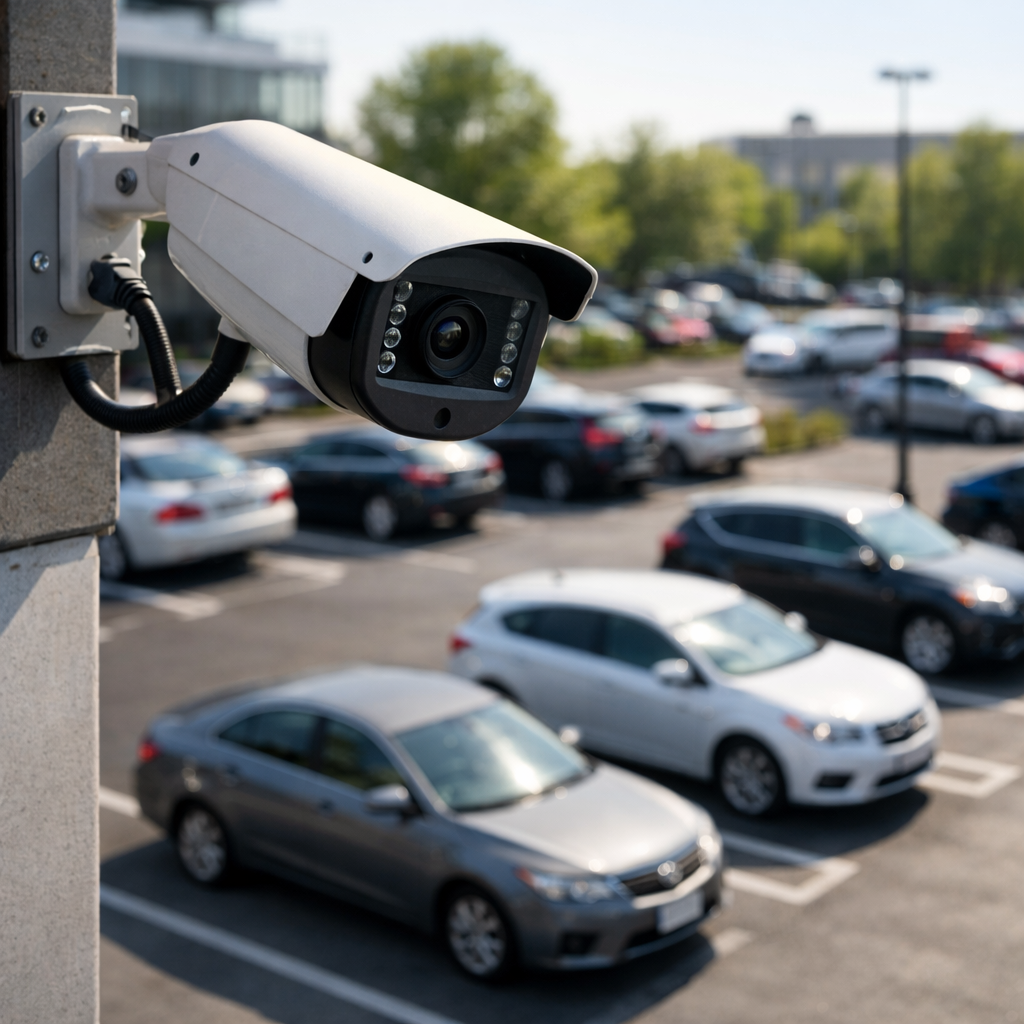
Comparing camera types for video surveillance in shared workspaces
Not all cameras suit the same shared environment. Below is a structured comparison that contrasts common device classes on functionality, privacy control, installation complexity, and ongoing operational cost.
Fixed dome cameras
Pros: Low profile, tamper resistant, good for indoor coverage of circulation areas; can host varifocal lenses for targeted views. Cons: Fixed field of view can create blind spots; may be perceived as intrusive if pointed toward tenant spaces. Best where aesthetic and vandal resistance matter, such as reception areas and corridors.
Bullet cameras
Pros: Visible deterrent, excellent for long-range focus and entrances; simple to upgrade with infrared for low-light. Cons: Outdoor-looking fixtures indoors can heighten tenant privacy concerns; mounting may be more obtrusive. Use when a clear, directional view is needed—loading docks, exterior doors.
PTZ (pan-tilt-zoom) cameras
Pros: Large coverage with remote control and optical zoom; fewer devices needed to cover a large open area. Cons: Active control can be seen as invasive if used to track individuals; higher cost and complexity. Reserve PTZ for monitored public zones where single-camera coverage reduces blind spots, not private rooms.
360-degree/fisheye cameras
Pros: Single-device panoramic coverage reduces number of cameras; software dewarping allows multiple virtual views. Cons: Lower per-area detail compared with dedicated fixed cameras; relies on analytics for useful framing. Effective for open-plan desks and lobbies where generalized monitoring is acceptable.
Thermal and people-counting sensors
Pros: Privacy-friendly for occupancy metrics because they do not capture facial detail; useful for space utilization and safety monitoring. Cons: Not a substitute for investigative-grade footage; limited for incident verification. Combine with conventional cameras to reduce unnecessary recording of private areas.
IP vs analog and storage approaches
IP cameras offer higher resolution, encryption, and flexible power-over-ethernet installations, while analog/CCTV systems remain cost-effective for simple exterior monitoring. Networked IP deployments are preferable when you need centralized access control, granular audit logs, and integration with access systems. Decide between cloud storage and local NVR/DVR by weighing bandwidth, retention policy, and tenant data access requirements.
Key video surveillance considerations when choosing cameras
Selecting cameras should follow explicit evaluation criteria: image quality, field of view, controllability, data security, retention, and compliance. Map these requirements to the shared workspace layout and tenant expectations.
Image resolution vs privacy
Higher resolution improves identifiability but increases legal risk in areas where tenants expect privacy. Use higher resolution at entry points and lower resolution or masking in shared desks. Deploy privacy zones and blurring features in camera firmware to protect sensitive areas.
Audio capture and consent
Audio recording elevates legal exposure. Unless you have a compelling, documented reason and explicit notice plus consent where required, avoid enabling microphones in shared tenant spaces.
Network security and access control
Prioritize cameras that support encrypted streams, role-based account controls, and logs. Limit live view and playback privileges to designated personnel and maintain an access policy reviewed periodically.
Retention, storage, and bandwidth
Define retention based on incident response needs and legal obligations; conservative retention limits reduce compliance complexity. Consider edge storage to reduce constant bandwidth usage, or hybrid models where critical footage is mirrored to secure local storage. When comparing device catalogs, review certified models and warranty terms before purchase Browse Video Surveillance
Use-case comparisons and decision logic for shared workspaces
Translate the technology comparison into real deployment choices by walking through common scenarios and selecting the most appropriate camera mix.
Coworking open plan with meeting rooms
Recommended mix: ceiling-mounted 360-degree cameras in open areas for occupancy and safety, fixed domes at circulation nodes, and no cameras inside private meeting rooms. Avoid PTZ in work areas to reduce tracking perception; use entry-point high-resolution cameras for incident verification.
Mixed retail and shared back-office
Recommended mix: bullet or dome cameras covering retail floor and exterior, IP cameras focused on register and back-office doors, thermal sensors for stockroom occupancy. Maintain separate logs and limited playback access for retail staff versus facility managers.
Multitenant professional suites (clinics, legal offices)
Recommended mix: cameras limited to public corridors and entryways, with strong masking and reduced resolution in corridor footage to avoid capturing client interactions through glass. Explicit tenant agreements and clear signage are essential before installation.
Shared light-industrial warehouse
Recommended mix: PTZ for wide-area monitoring of operational zones, high-resolution fixed cameras at loading bays, and tag-based asset tracking for inventory. Consider thermal for safety monitoring and integrate with alarms for fast response.
Practical examples and common mistakes
Example 1: A coworking operator installed four high-resolution PTZs to cover an open floor. Tenants complained about being tracked. Better approach: replace with 360-degree cameras for general coverage plus one fixed camera per entry for incident verification.
Example 2: A multitenant building used cloud-only recording with unlimited retention. After a data access request from a tenant, sifting through months of footage proved costly. Better approach: implement defined retention windows and automated purging to limit exposure.
Common mistakes to avoid: 1) treating all areas the same—private zones and public zones need different camera types; 2) enabling audio by default; 3) giving broad playback rights to untrained staff; 4) neglecting signage and consent for tenants; 5) failing to document the purpose and retention policy for recorded footage.
Legal & ethical considerations
High-level compliance requirements differ by jurisdiction, but two consistent priorities are transparency and proportionality. In the EU, data protection laws require a lawful basis, purpose limitation, and data minimization—avoid collecting unnecessary personal data. In the US, state laws vary on workplace surveillance and audio recording; many states require consent for audio, and certain federal rules apply if monitoring intersects with protected activities. Operational best practices include clear signage at access points, published retention schedules, limited access logs, and a documented privacy impact assessment when cameras are added or moved. For a fuller regulatory overview consult the in-depth resource that covers both home and business contexts Discreet solutions
Frequently Asked Questions
Q: Where should cameras never be placed in shared workspaces?
A: Avoid placing cameras inside private offices, restrooms, lactation rooms, or other locations with a reasonable expectation of privacy.
Q: Do I need tenant consent to install cameras?
A: Consent requirements depend on jurisdiction and lease terms; at minimum provide notice, clear signage, and lease disclosures describing purpose and retention.
Q: Are wireless cameras secure enough for business surveillance?
A: Wireless cameras can be secure if they use strong encryption, isolated VLANs, and firmware updates; otherwise prefer wired PoE for critical areas.
Q: How long should footage be retained?
A: Retention should match the purpose—shorter windows (30–90 days) are common for general security; extend only where incidents or legal requirements justify it.
Q: Can I use cameras to monitor employee productivity?
A: Monitoring productivity raises legal and ethical concerns; consult labor regulations and ensure transparency, limited scope, and documented justification before proceeding.
Choosing cameras for shared workspaces requires a disciplined approach: match device capabilities to function, protect tenant privacy through technical and administrative controls, and align retention and access with legal obligations. Thoughtful selection minimizes liability while delivering usable footage for safety and incident response.