Voice recorders for homeowners and small businesses: comparing common USB voice recorder mistakes
Choosing and using voice recorders correctly matters for homeowners, small business owners, and independent professionals who need reliable audio evidence, accurate meeting notes, or discreet field interviews. This article compares common mistakes with USB voice recorders and explains how those errors differ from failures with other digital voice recorders, when legal issues arise, and how to select a device to match your use case while avoiding compliance risks. Read the complete Voice Recorders guide
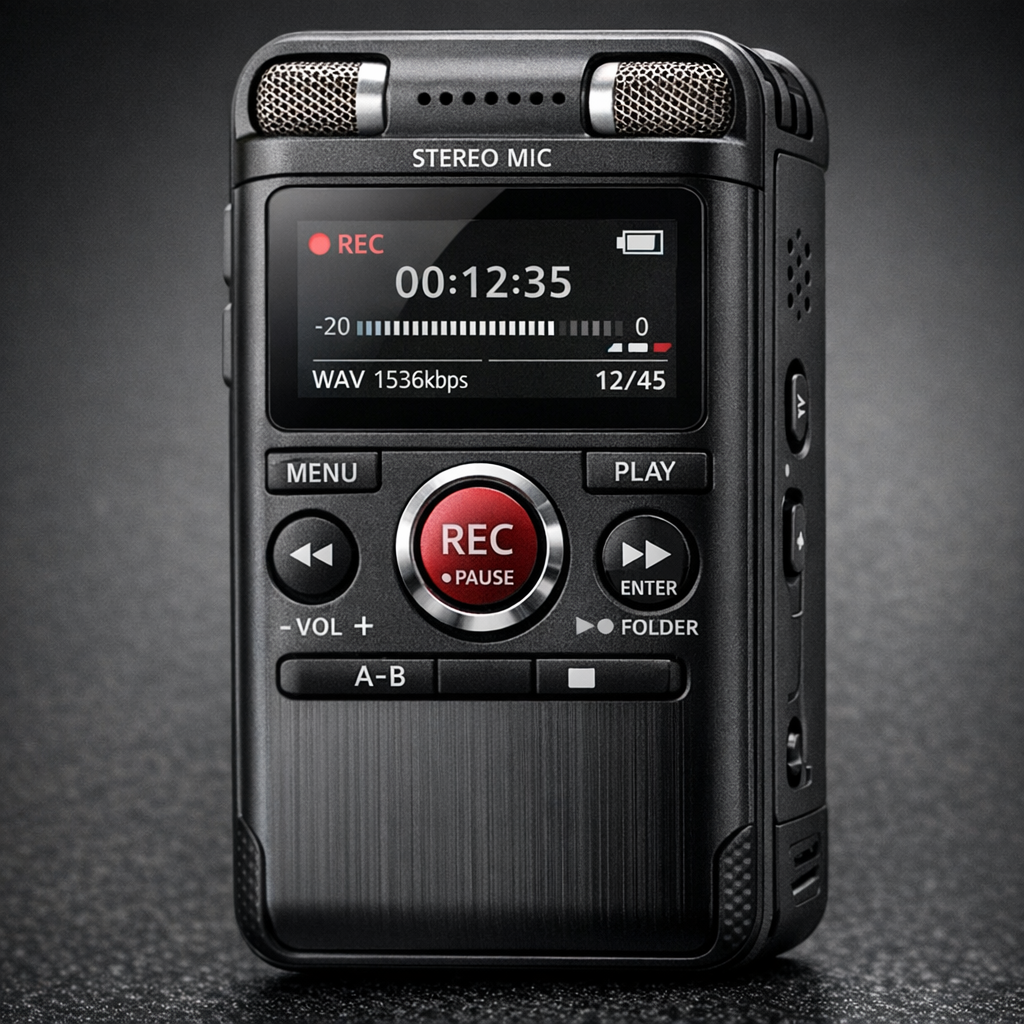
Common setup and usage mistakes with voice recorders
Many problems begin in the first minutes after unboxing a new voice recorder. Users confuse the device modes (continuous, loop, timed), ignore microphone placement, and assume USB charging equals unlimited runtime. Technical missteps include selecting the wrong audio format, failing to format the storage medium, or leaving power-saving features enabled that truncate recordings. For USB voice recorders specifically, a frequent mistake is assuming plug-and-play access to files on a computer without understanding the device’s default access mode: some units appear as mass-storage, others require a proprietary transfer mode or software. Misreading the LED indicators or status reports leads to recording gaps and corrupted files.
Comparing voice recorders: USB models versus standalone digital recorders
When comparing device classes, weigh USB-enabled voice recorders against dedicated digital voice recorders and voice activated recorder designs. USB models blend convenience—easy file transfer and charging—with additional failure points such as fragile ports and driver incompatibilities. Standalone digital voice recorders often prioritize higher-quality preamps, manual gain control, and robust file systems that resist corruption. Voice activated recorders save space and battery life by only recording when audio passes a threshold, but they risk clipping the start of a conversation or failing to capture low-volume speech.
Pros and cons table: decision logic
- USB voice recorders: Pros — simple data transfer, common compatibility with computers, often smaller form factor. Cons — potential driver/software dependencies, port failure, accidental mode switching during USB connection.
- Dedicated digital voice recorders: Pros — better manual controls, more robust storage handling, often replaceable batteries. Cons — may lack instant USB convenience, sometimes bulkier.
- Voice activated recorders: Pros — long standby operation, efficient storage. Cons — risk of missed audio at thresholds, false triggers from background noise.
Buyer guide: how mistakes affect selection of voice recorders
Buying the wrong recorder is a common mistake that compounds operational issues. Start by listing your primary use cases: interview transcription, covert monitoring, meeting minutes, or legal evidence. For transcription and meetings, prioritize clear built-in microphones, WAV or high-bitrate MP3 formats, and reliable time-stamping. For covert or mobile use, weight, battery life, and discreet appearance matter. For evidence collection, device integrity and tamper resistance become critical. Avoid buying solely on advertised runtime: USB charging convenience does not replace battery capacity or the ability to swap batteries in the field. Consider whether you need a voice activated recorder mode; if you do, ensure adjustable sensitivity and a pre-record buffer to prevent clipped onsets. Browse Voice Recorders
Use-case comparisons: scenarios where mistakes are costly
Scenario A — a homeowner documenting recurring disturbances: a common mistake is choosing a unit with no reliable timestamping or with an easily reset clock. Without accurate timestamps the recordings may lose credibility in mediation or small-claims court. Scenario B — a small business owner recording internal meetings: buying a voice activated recorder to save storage can result in missing comments if the room is quiet or participants speak softly; a manual continuous mode with larger storage would be safer. Scenario C — a field professional conducting interviews: relying on the computer’s USB connection during an interview to power the recorder is risky; accidental disconnection or driver installation prompts can prevent capture. In each case, the wrong feature emphasis turns convenience into liability.
Decision flow for buyers
- Do you need legal-grade evidence? If yes, prefer devices with stable, exportable metadata and reliable file integrity features.
- Is long unattended operation required? If yes, evaluate voice activated recorders with adjustable thresholds and pre-record buffers.
- Will recordings be transcribed? If yes, get higher bitrate WAV or lossless files rather than low-bitrate MP3.
- Do you plan frequent transfers to multiple computers? If yes, choose a recorder that mounts as standard USB mass storage without proprietary drivers.
Technical pitfalls unique to USB voice recorders
USB-equipped recorders introduce failure modes not present in non-USB devices. Common technical pitfalls include corrupted files after unsafe ejection, accidental power-down when the recorder switches to host mode, and firmware issues triggered by interrupted USB transfers. Another mistake is not updating firmware: vendors release updates to address stability and compatibility but users often avoid updates for fear of complexity. The correct approach is to follow vendor instructions closely and test new firmware on non-critical recordings first. Also, many users mistake USB charging for continuous power; some recorders stop recording while charging via USB or switch to a file-access mode, halting capture.
Practical examples and common mistakes
Example 1 — transcription gaps: An office manager used a voice activated recorder for minute-taking, but did not set a pre-record buffer. The device missed the first 3–5 seconds of each speaker turn, making transcripts unreliable. Example 2 — corrupted meeting files: After a day of meetings, a user connected the recorder to a workstation that automatically scanned newly attached drives, prompting the OS to index files and leaving the recorder in an inconsistent state; several files became unreadable. Example 3 — chain-of-custody failure: A homeowner recorded harassment but did not synchronize or document timestamps. When presenting recordings to authorities, mismatched clock settings and no metadata export undermined credibility. Each example highlights a different category of mistake: configuration, system interaction, and evidence management.
Legal and ethical considerations (EU and US high-level)
Recording laws differ between jurisdictions and are a frequent source of error. In the United States, federal law permits recording with at least one party’s consent in many contexts, but several states require all-party consent for audio recordings. In the European Union, consent and data protection rules under the GDPR can apply when voice data is personal data; recording in a workplace or a shared household may raise obligations to inform recorded individuals and to secure data properly. These differences affect device selection: for example, devices with strong encryption, secure deletion, and exportable consent logs are more appropriate for contexts with strict legal requirements. This article does not provide legal advice; consult a qualified lawyer for case-specific guidance. Discreet solutions
Operational best practices to avoid common mistakes
Adopt a checklist: verify device clock and timezone, test recording length and battery life under expected conditions, confirm file formats and transfer methods, and document chain-of-custody for sensitive recordings. Back up files immediately and retain originals in read-only copies. For USB voice recorders, always use the safe-eject procedure, and when transferring files to unfamiliar systems, scan recordings on an isolated workstation to prevent inadvertent modification. Train personnel who will operate the devices to avoid accidental mode changes or physical damage to USB ports.
Frequently Asked Questions
Q1: Can I use any USB voice recorder for legal evidence? Answer: Evidence admissibility depends on jurisdiction and procedure; technically, many recorders can capture usable audio, but you must preserve metadata, demonstrate chain-of-custody, and follow consent rules.
Q2: Will a voice activated recorder miss important speech? Answer: It can if sensitivity is set improperly or if there is no pre-record buffer; adjust thresholds and test in realistic acoustic conditions before relying on activation-only capture.
Q3: How do I prevent file corruption when using a USB recorder? Answer: Use safe-eject procedures, avoid interrupting transfers, and maintain up-to-date firmware; prefer recorders with journaling file systems if frequent transfers are expected.
Q4: Is WAV always better than MP3 for voice recording? Answer: WAV preserves fidelity and is preferred for transcription and evidence, but it uses more storage. High-bitrate MP3 can be acceptable for meetings where storage or bandwidth is constrained.
Q5: Do I need to inform people before recording in the EU? Answer: Generally, yes—under data protection principles, you should inform individuals and handle recordings as personal data; specifics depend on context and local law, so seek legal guidance for compliance.
Educational closing
Understanding the comparative weaknesses and strengths of USB voice recorders versus other digital voice recorders reduces practical errors and legal exposure. Use a needs-driven selection process: match format and features to the use case, test devices under real conditions, and follow operational best practices that include timestamping, secure handling, and clear consent procedures. Thoughtful comparison and attention to the small technical and procedural details described here will prevent the most common mistakes and help ensure recordings remain reliable and defensible for their intended purpose.