Video Surveillance for Small Business: Indoor vs Outdoor Cameras
For a small business evaluating security options, video surveillance is the central decision point that shapes coverage, compliance, and ongoing costs. Choosing between indoor cameras and outdoor cameras requires comparing technical limits, legal boundaries, and operational trade-offs so the final design protects assets without creating unnecessary liability. This article compares use cases, limitations, and buyer logic for business environments and points to deeper resources for implementation. Read the complete Video Surveillance guide
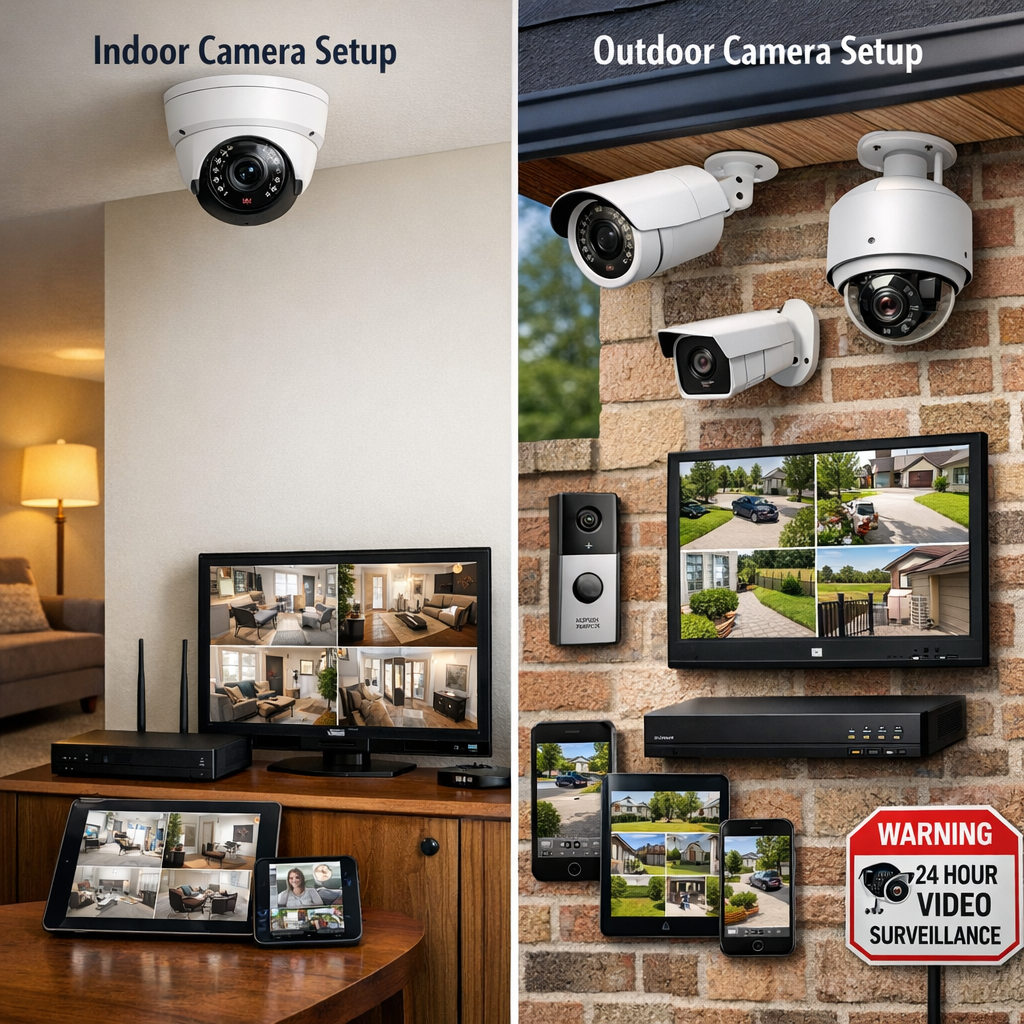
video surveillance: choosing between indoor and outdoor cameras
The basic distinction is environmental and functional. Outdoor cameras are built to withstand weather, offer longer range optics, and often include integrated IR or active deterrence. Indoor cameras prioritize image clarity in controlled lighting, easier concealment, and often better audio capture. In a retail store, for example, outdoor cameras monitor perimeter, parking, and delivery bays, while indoor cameras cover point-of-sale areas and stock rooms. This separation influences mounting choices, cabling, power supply, and where recorded footage is stored.
From a technical standpoint, outdoor cameras commonly require different housings, surge protection, and wider dynamic range to handle sunlight and moving shadows. Indoor cameras can use shorter focal lengths and rely on existing ceiling power or PoE drops. Both camera types can be part of a single CCTV or IP video surveillance architecture, but mixing models requires planning for analytics, storage, and maintenance windows. Browse Video Surveillance
Comparison: features, costs, and maintenance
Comparing features side-by-side reduces subjective choice:
- Durability: Outdoor cameras use IP66/IP67-rated enclosures; indoor models typically do not. Expect higher purchase and replacement costs for true outdoor-rated devices.
- Optics: Outdoor cameras often have varifocal lenses, IR cut filters, and weather-hardened zoom. Indoor cameras can favor wider fields of view with lower unobstructed range.
- Connectivity: Outdoor deployments may need wireless bridging, fiber, or longer PoE runs; indoor cameras usually tie into existing network closets.
- Analytics: Motion detection, people counting, and license plate recognition perform differently outdoors due to lighting and motion complexity; analytics licensing and CPU needs vary by model.
- Maintenance: Outdoor cameras need seasonal checks (lens cleaning, seal verification, firmware updates) more frequently than indoor cameras, affecting total cost of ownership.
Cost models should include hardware, installation labor, weatherproof accessories, network upgrades, and a predictable maintenance schedule. CCTV systems with mixed indoor and outdoor devices often increase system complexity but offer better overall coverage if designed to reduce single points of failure.
Use-case scenarios and decision logic
Practical decisions come from mapping business risks to camera capability. Use the following logic path to select camera types and placements:
- Identify assets and threats: Are goods vulnerable outside business hours? Is employee safety a concern in dimly lit interiors?
- Prioritize zones: High-risk zones (loading docks, rear entrances) generally require outdoor-rated devices with tamper detection; transaction counters and entryways need indoor cameras with clear face capture.
- Decide analytics needs: If you require license plate recognition for deliveries, choose outdoor cameras with high-resolution optics; for queue management, indoor cameras with people-counting analytics are appropriate.
- Assess network and storage: High-resolution outdoor feeds and continuous recording increase storage and bandwidth demands—budget for retention periods required by policy or regulation.
Practical examples
Example 1: A café with a street-facing entrance uses one outdoor dome to record the sidewalk; three indoor fixed cameras cover the counter, dining area, and kitchen. The outdoor camera is IP66-rated and mounted with vandal-resistant housing; indoor cameras use wide-angle lenses for facial capture and a higher frame rate at the POS.
Example 2: A small warehouse deploys outdoor bullet cameras over docks and yard lighting, and indoor PTZ cameras in aisles for inventory checks. The solution pairs motion-triggered recording outdoors with continuous indoor recording for audit trails.
Common mistakes
Typical errors include buying outdoor cameras solely for aesthetics without verifying IP rating, underestimating network load from high-resolution streams, and neglecting sightlines that create occluded blind spots. Another frequent mistake is assuming analytics perform equally indoors and outdoors—sun glare and reflections will cause false positives on motion-based alerts outdoors.
video surveillance legal and compliance comparison
Legal requirements and privacy norms shape where cameras may be placed and how long footage can be kept. In the United States, laws are a mix of federal statutes and state rules; there is broad allowance for video capture in public-facing business areas where individuals have no expectation of privacy, but audio recording and surveillance of private spaces like restrooms are typically prohibited. In the European Union, the General Data Protection Regulation (GDPR) requires that footage be processed lawfully, collected for a specific purpose, stored only as long as necessary, and secured against unauthorized access. These rules affect both indoor cameras that record employees and outdoor cameras that capture public sidewalks.
Practical compliance steps include posting clear signage about video surveillance, documenting retention policies, performing data protection impact assessments where required, and ensuring secure access controls for recorded footage. When using analytics or cloud storage, check where data is stored and who has processing rights. Noncompliance risks include fines, orders to change camera placement, and reputational harm.
Buyer guide: evaluation criteria and selection logic
When evaluating models, prioritize criteria that align with your risk map: environmental rating, low-light performance, resolution matched to analytic requirements, supported codecs, and vendor firmware update policies. Confirm warranty and RMA processes for outdoor units and verify whether cameras support local edge storage if network outages are a concern. Consider whether a hybrid CCTV/NVR approach or cloud-managed IP system better fits staff skills and budget.
Selection logic checklist:
- Match camera type to zone risk (indoor/outdoor).
- Confirm analytics are validated for the intended environment.
- Budget for network upgrades for higher frame rates and longer retention.
- Plan for secure access, role-based permissions, and audit logs.
Avoid buying purely on price; inexpensive outdoor-looking cameras may fail quickly under UV exposure or in freeze-thaw cycles. For a curated selection of devices suited to mixed deployments, check category offerings that separate indoor cameras from outdoor-rated units. Discreet solutions
Legal & ethical considerations (EU/US high-level, non-legal advice)
High-level distinctions: in the US, place-based rules and state wiretapping laws can affect audio capture; in the EU, GDPR emphasizes data subject rights and lawful processing. Ethically, avoid persistent surveillance of private employee areas and minimize capture of public spaces beyond what’s necessary for security. Implement access controls so recorded footage is reviewed only by authorized staff and retain footage for the shortest period aligned with legitimate business needs.
Operationally, document justification for camera placement, train staff on privacy policies, and maintain a breach response plan for unauthorized footage access. These measures reduce regulatory risk and align surveillance practices with accepted privacy principles.
Frequently Asked Questions
Q: Can I use indoor cameras outside to save cost? A: Typically no; indoor cameras lack environmental sealing and can fail when exposed to moisture, temperature extremes, and dust.
Q: Are there legal limits on recording customers on my property? A: You can generally record public-facing areas where there’s no expectation of privacy, but laws differ by jurisdiction and audio capture is often restricted.
Q: How long should I keep CCTV recordings for a small business? A: Retention should be tied to the business purpose—common retention ranges are 7–30 days for routine security footage, longer for incidents or regulated industries; document your policy.
Q: Do outdoor cameras need special network configurations? A: Yes—longer cable runs, PoE extenders, or wireless bridging may be required, and outdoor cameras often need surge protection and VLAN segmentation for security.
Q: Can analytics reliably identify incidents outdoors at night? A: Analytics performance varies; license plate recognition and person detection are possible with proper lighting and high-quality optics, but reflections, motion blur, and low-light noise reduce accuracy.
Educational closing
Deciding between indoor cameras and outdoor cameras is a systems decision: match device capabilities to the physical environment, legal obligations, and operational needs. A thoughtful design balances coverage, evidence value, cost, and privacy risk. Use the comparison logic in this article to build a defensible CCTV architecture that minimizes blind spots and compliance exposure, and document choices so future changes remain aligned with business objectives. For planning a mixed deployment, consult technical specifications and local guidance to ensure the solution meets both security and regulatory requirements.