Voice Recorders for Homeowners and Small Businesses: Balancing Hours of Recording and Audio Quality Settings
Choosing the right voice recorders requires a clear trade-off between how many hours you need to capture and the audio quality settings you select. For homeowners preserving meeting notes or small businesses documenting client interactions, the balance between recording storage and fidelity determines whether a device meets operational, legal, and archival needs. This article explains the technical and practical decisions that affect hours of continuous recording, typical file sizes, and how to evaluate devices so you get usable audio without unnecessary storage waste.
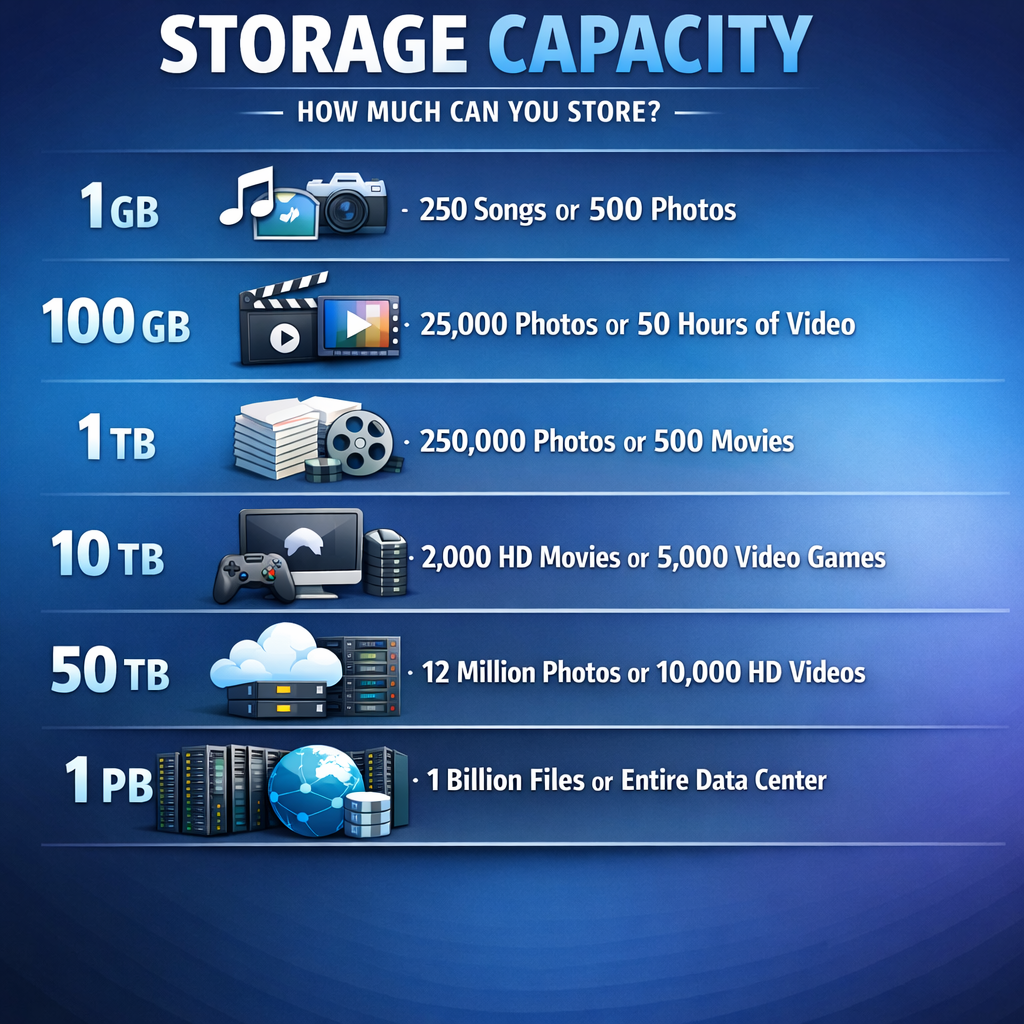
How voice recorders trade hours for audio quality
At the simplest level, higher audio quality consumes more recording storage and reduces maximum hours per device or card. Two devices with identical battery life and internal memory can provide vastly different recording durations depending on bitrate, sample rate, mono versus stereo capture, and file container. For example, a low-bitrate mono recording intended for voice transcription may use a compressed codec and yield dozens of hours on a 32 GB card, while high-resolution stereo WAV files will exhaust the same storage in a fraction of the time.
When comparing hours versus quality, establish the minimum intelligibility and any reuse needs (transcription, playback in presentations, forensic review). These use requirements determine acceptable audio quality settings and therefore the recording storage you must budget for. For guidance linking recording best practices to device selection, consult our pillar resource on discreet and professional recording techniques Read the complete Voice Recorders guide .
Choosing voice recorders by storage and quality needs
Selection logic groups into three common user profiles: note-capture (homeowners, students), business documentation (small teams, consultants), and evidentiary use by professionals. Each profile has different priorities for audio quality and recording storage. Note-capture prioritizes long hours and efficient file sizes, often choosing compressed mono formats at lower bitrates. Business documentation usually needs clearer speech and backups, so users pick higher bitrates and may accept shorter continuous hours in exchange for improved intelligibility and archiving. Professional evidentiary use demands the highest practicable audio quality, lossless formats, and rigorous metadata, which drastically increases storage needs and often necessitates external storage policies.
When you catalogue device options, compare advertised continuous recording hours at multiple quality presets rather than a single number. Manufacturers often quote worst-case or low-quality durations; verify how many hours are available at your chosen audio quality and whether the device supports expandable storage. Also confirm whether the recorder uses on-device compression or records in uncompressed formats, as this directly affects long-term recording storage planning. If you're building a small office policy for meeting recordings, include retention limits and automatic transfer routines that integrate with your existing backup strategy Browse Voice Recorders.
Technical comparison: bitrate, sample rate, formats, and recording storage
Bitrate is the primary determinant of file size. For speech, compressed formats like MP3 or AAC at 64–128 kbps in mono provide intelligible audio while conserving recording storage. Higher bitrates (192–320 kbps) and stereo increase clarity but double or triple file sizes. Sample rate and bit depth determine frequency response and dynamic range; 44.1 kHz/16-bit is a common standard that supports good quality without excessive files, while 96 kHz/24-bit is used for high-fidelity capture and is storage intensive.
Practical file-size examples
- MP3 mono at 64 kbps: ~28.8 MB per hour—suitable for transcription and long-term hours.
- MP3 stereo at 128 kbps: ~57.6 MB per hour—better for meetings with multiple speakers.
- WAV stereo 44.1 kHz/16-bit: ~635 MB per hour—professional quality, limited recording storage on small media.
- WAV stereo 96 kHz/24-bit: ~3 GB per hour—reserved for forensic or audio production work.
These approximations guide decisions about internal memory size or microSD capacity. For a small business recording 8 hours per week for a year and retaining compressed MP3s at 128 kbps, a 64 GB solution would cover the need comfortably. If legal or evidentiary retention requires lossless files, plan for multiple terabytes and a strict archival workflow.
Comparison of strategies: maximize hours vs maximize audio quality
Compare three strategies along axes of hours, clarity, and operational complexity:
- Hours-first: Low bitrate mono compression, automatic file splitting, long battery life. Pros: minimal recording storage, minimal transfer. Cons: reduced clarity for distant speakers and reduced value in forensic contexts.
- Balanced: Moderate bitrate stereo, scheduled backups to local NAS, periodic manual checks. Pros: adequate clarity for most business uses, manageable storage. Cons: requires operational discipline for transfers and retention.
- Quality-first: Lossless or high-bitrate stereo, redundant backups, metadata and chain-of-custody practices. Pros: highest evidentiary value. Cons: high recording storage and more complex compliance demands.
Each strategy has cost and compliance implications. Small businesses often adopt the balanced approach to control recording storage while preserving actionable audio quality for disputes or reviews.
Practical scenarios and common mistakes
Scenario 1 — Homeowner documenting family meetings: A homeowner selected a recorder with 8 GB internal memory and default WAV settings. After a single lengthy meeting, the device filled and lost subsequent audio. The mistake: not matching recording storage with intended hours and failing to verify format settings. Choosing MP3 mono at a lower bitrate or using expanded microSD would have prevented data loss.
Scenario 2 — Small consultancy recording client calls: The consultancy used high-bitrate stereo files and kept recordings locally on devices for weeks. This created storage strain and elevated compliance risk in jurisdictions that require explicit consent. The mistake: neglecting automatic offload and retention policy. A better option is scheduled transfer to encrypted storage and periodic deletion per policy.
Scenario 3 — Evidence collection by a tradesperson: A contractor recorded conversations in lossless format for contract disputes without noting timestamps or metadata. Later, the recordings were questioned for authenticity. The mistake: ignoring metadata and chain-of-custody; high audio quality alone does not guarantee legal admissibility. Implement time-stamping and documented handling to support evidentiary use Discreet solutions.
Legal & ethical considerations
Recording laws vary by jurisdiction. In the United States, states use one-party or two-party consent rules that determine whether you may lawfully record conversations without notice. In the European Union, data protection laws such as the GDPR treat recorded audio as personal data when it identifies individuals; this imposes obligations around lawful basis, retention, access, and secure storage. Beyond law, ethical practice includes informing people where appropriate, minimizing retention to what is necessary, and securing recording storage against unauthorized access.
Operationally, document your rationale for audio quality and retention choices: higher audio quality increases the amount of personal data you hold and can amplify legal obligations. Small businesses should assess whether high-resolution recording is proportionate to business needs and implement encryption, role-based access, and deletion schedules to limit legal exposure.
Frequently Asked Questions
Q1: How do I estimate how much recording storage I need?
Estimate by selecting your intended format and bitrate and multiplying by expected weekly hours. Account for redundancy and retention periods; plan for 20–30% overhead for metadata and indexing files.
Q2: Can I extend hours by using a higher-capacity memory card?
Yes—microSD expansion is the simplest way to increase hours, but verify device compatibility, file system limits, and whether the recorder supports continuous write for long sessions.
Q3: Is mono always sufficient for speech?
Mono is often sufficient for single-speaker or close-mic situations and offers substantial recording storage savings. Stereo is helpful where spatial separation assists clarity, such as roundtable meetings or when multiple distant speakers are present.
Q4: How should I handle recordings for legal or evidentiary use?
Use the highest practical quality, document timestamps and handling, maintain an access log, and secure recordings with encryption. Consult legal counsel for jurisdiction-specific admissibility requirements.
Q5: What common device features help manage recording storage?
Look for adjustable bitrate presets, automatic file splitting, scheduled offload to local or network storage, overwrite protection, and support for large-capacity microSD cards. Battery longevity paired with storage capacity reduces operational interruptions.
Educational closing
Deciding between hours of recording and audio quality for voice recorders is a practical balancing act that affects costs, compliance, and usefulness of captured audio. By assessing intended use, estimating recording storage based on formats and bitrates, and implementing retention and security policies, homeowners and small businesses can choose a strategy that meets operational needs without unnecessary exposure. Evaluate devices using realistic recording scenarios, document your settings and workflows, and periodically revisit choices as storage technology and legal expectations evolve.