Voice Recorders for Meetings and Interviews: Choosing the Right Recorder for Offices, Fieldwork, and Compliance
Choosing the right voice recorders for meetings and interviews requires matching device capabilities to the recording environment, legal boundaries, and your workflow. Early selection mistakes—wrong microphone pattern, insufficient storage, or missing compliance features—can make high-stakes conversations unusable. This guide focuses on practical decision logic for homeowners, small business managers, journalists, HR professionals, and consultants who need reliable audio capture without unnecessary complexity. Read the complete Voice Recorders guide
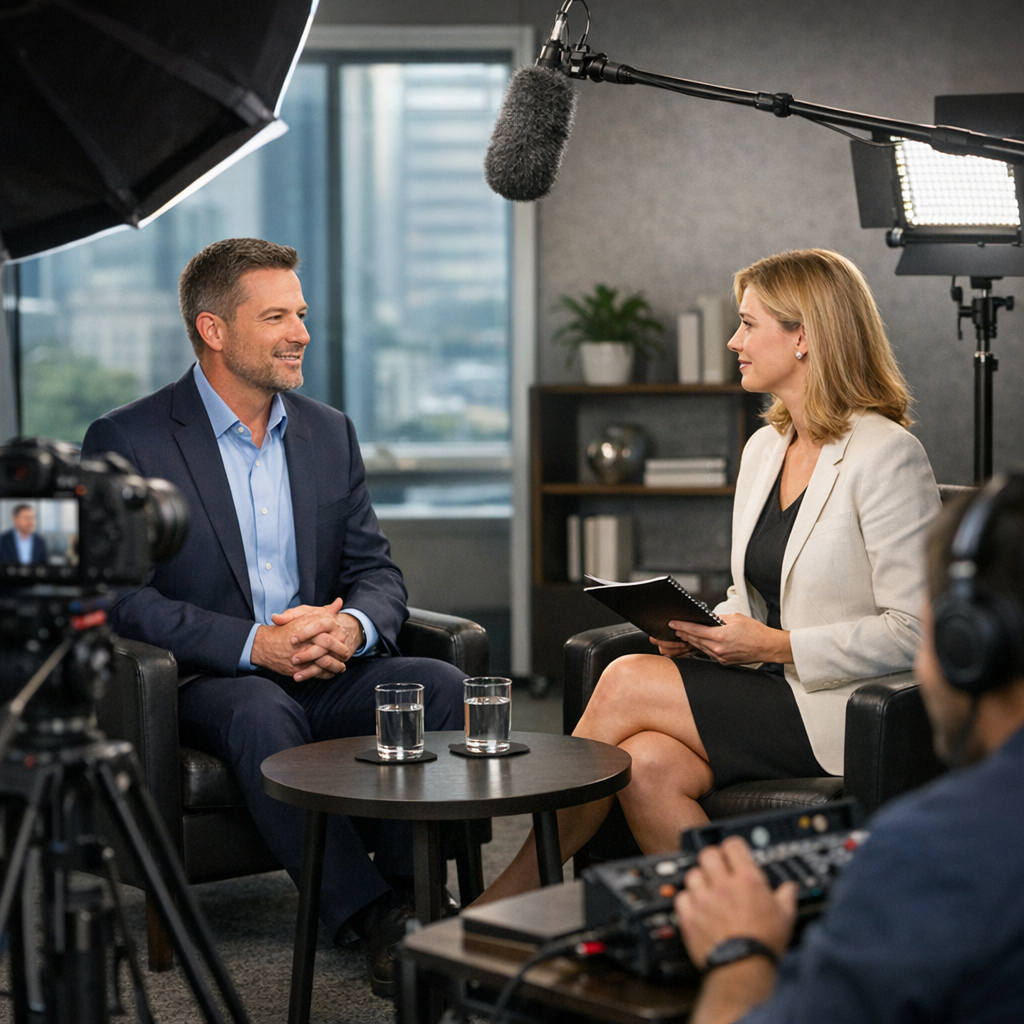
Which voice recorders suit each environment
Different environments present distinct audio challenges: background noise, multiple speakers, distance between speaker and device, and power limitations. Choosing a recorder depends on whether you routinely capture in quiet offices, echoing conference rooms, noisy field locations, or private interview settings.
Quiet offices and one-on-one interviews
- Best device type: compact digital recorders with high-sensitivity omnidirectional mics or lapel microphones.
- Why: omnidirectional mics capture balanced speech in close proximity and lapels provide discreet, direct sound.
- Considerations: prioritize low self-noise, linear PCM or high-bitrate MP3, and simple file transfer options for transcription.
Large meeting rooms and conference settings
- Best device type: multi-mic conference recorders, boundary microphones, or recorders that support external directional mics.
- Why: directional pickup and multiple channels preserve speaker separation and improve clarity for later editing.
- Considerations: evaluate microphone patterns, channel count, and whether automatic gain control will distort louder participants.
Field interviews and noisy environments
- Best device type: handheld recorders with directional shotgun mics or lavalier setups with windscreens.
- Why: narrow pickup patterns reduce ambient noise; rugged enclosures and battery efficiency matter outdoors.
- Considerations: look for preamp quality, wind protection, and physical controls accessible while on the move.
Remote and hybrid meetings
- Best device type: USB-capable recorders or audio interfaces that can capture direct output from conferencing apps, plus local backup recording.
- Why: digital capture from the meeting source avoids room acoustics issues; local backup protects against network failures.
- Considerations: compatibility with conferencing platforms, sample rates, and how to merge local and remote tracks.
How to evaluate voice recorders: criteria and trade-offs
When you compare devices, focus on features that matter for your typical scenarios rather than marketing buzz. Assess microphones, format and codec options, connectivity, power, and durable design. Browse Voice Recorders
Microphone type and polar pattern
Omnidirectional mics provide full-room pickup and work well for round-table meetings; cardioid or shotgun mics reject side and rear noise, making them better for interviews in noisy locations. Many recorders accept external mics—this flexibility can be decisive if you switch environments often.
Recording formats, sample rate, and file management
Linear PCM (WAV) preserves quality for transcription and editing; high-bitrate MP3 is space-efficient. Higher sample rates (48 kHz versus 44.1 kHz) help when you need post-production. Also evaluate file naming, split recording features, and how easy it is to export files for compliance or archiving.
Connectivity and transcription workflow
USB convenience and wireless transfer speeds influence turnaround time. Devices that work as USB audio interfaces let you capture feeds during virtual meetings. Consider whether your recorder supports forensics-friendly exports or encrypted storage if compliance is a concern.
Battery life and reliability
Field users need sustained battery life and quick charging; office users may prefer devices with plain power adapters. Redundancy matters—dual recording (internal plus external) protects against file corruption.
Usability and physical controls
Large physical buttons, clear LED indicators, and straightforward menus reduce operator error in stressful interviews or meetings. If multiple people will operate the device, choose models with simple modes and accessible indicator lights.
Comparison: common recorder types and where they excel
- Compact digital recorders: excellent for one-on-one interviews and portable office work; balance price and quality.
- Conference recorders / boundary mics: best for boardrooms and multi-speaker tables; ensure channels match transcription needs.
- Handheld field recorders: rugged and flexible for journalists and investigators; external mic support is key.
- Lavalier systems: ideal for discreet interview capture and broadcast; plan for battery and transmitter range.
Practical examples and common mistakes
Example 1 — HR exit interview: An HR manager used a basic compact recorder on omnidirectional setting in a private office; the result was usable audio for notes, but wall reflections reduced intelligibility. A lavalier or placing the recorder closer to the speaker would have improved accuracy.
Example 2 — Small conference: A team placed one small recorder at the room center and found distant speakers were unintelligible. The correct choice is either multiple boundary mics or a recorder with multiple channels positioned near each participant.
Common mistakes to avoid:
- Assuming a single device fits all settings; lack of external mic support limits flexibility.
- Neglecting legal consent features—some recorders or workflows must include explicit consent steps.
- Relying solely on wireless transfer without local backups; network interruptions can lose evidence-quality files.
- Ignoring battery and storage planning—long meetings require extended power and larger memory cards.
Legal & ethical considerations
Recording laws differ by jurisdiction; complying with them is essential to reduce legal risk. In many U.S. states you may legally record if one party consents, but some states require all-party consent. In the EU, data protection rules under GDPR can apply when recordings contain personal data, requiring a lawful basis, transparency, and secure handling. This is general guidance, not legal advice. Discreet solutions
Operational best practices: always notify participants when recordings are made where possible, document the purpose and retention period, secure files with access controls, and retain recordings only as long as required for legitimate reasons. For sensitive interviews, consider encrypted storage and documented chain-of-custody procedures to maintain integrity.
Frequently Asked Questions
Can I use a phone app instead of a dedicated voice recorder? Yes. Phone apps can be adequate for casual notes, but dedicated voice recorders typically offer better microphones, configurable formats, longer battery life, and forensic-grade exports for formal interviews.
What is the difference between omnidirectional and cardioid microphones? Omnidirectional microphones capture sound from all directions and suit close, multi-speaker situations. Cardioid microphones pick up from the front and reject side/rear noise, better for isolating a single speaker in noisy settings.
How much storage do I need for a full-day recording session? For high-quality WAV at 48 kHz/24-bit, expect roughly 330 MB per hour; for high-bitrate MP3 (128–192 kbps) estimate 10–20 MB per hour. Always carry extra cards and consider automatic file splitting for long sessions.
Are wireless lavalier systems reliable for interviews? Modern wireless lav systems are reliable when frequency planning is correct. Test for interference, verify transmitter range, and always record a local backup where possible to guard against dropouts.
Should I use encryption for recorded interviews? Yes for sensitive content. Encrypt files at rest and in transit, control access, and maintain clear retention policies. Encryption adds complexity but reduces exposure if devices are lost or compromised.
Educational closing
Choosing voice recorders is a structured trade-off between environment, legal obligations, audio quality, and workflow efficiency. Evaluate real use cases—who operates the device, where recordings occur, and how files are stored—before buying. Prioritize flexibility (external mic support, multiple formats), operational reliability (battery, redundancy), and compliance-friendly features. Document your processes, train operators, and test equipment in the environments where you will use it to avoid common failures. Thoughtful selection minimizes risk, safeguards privacy, and produces recordings that serve their intended purpose.