Video surveillance legal misunderstandings for small business owners
Business owners often install video surveillance quickly to deter theft or document incidents, but common assumptions about legality can create compliance and privacy risks. This article compares what owners typically misunderstand about video surveillance, lays out practical scenarios, and gives a structured buyer guide so you can select systems that meet both operational and legal boundaries.
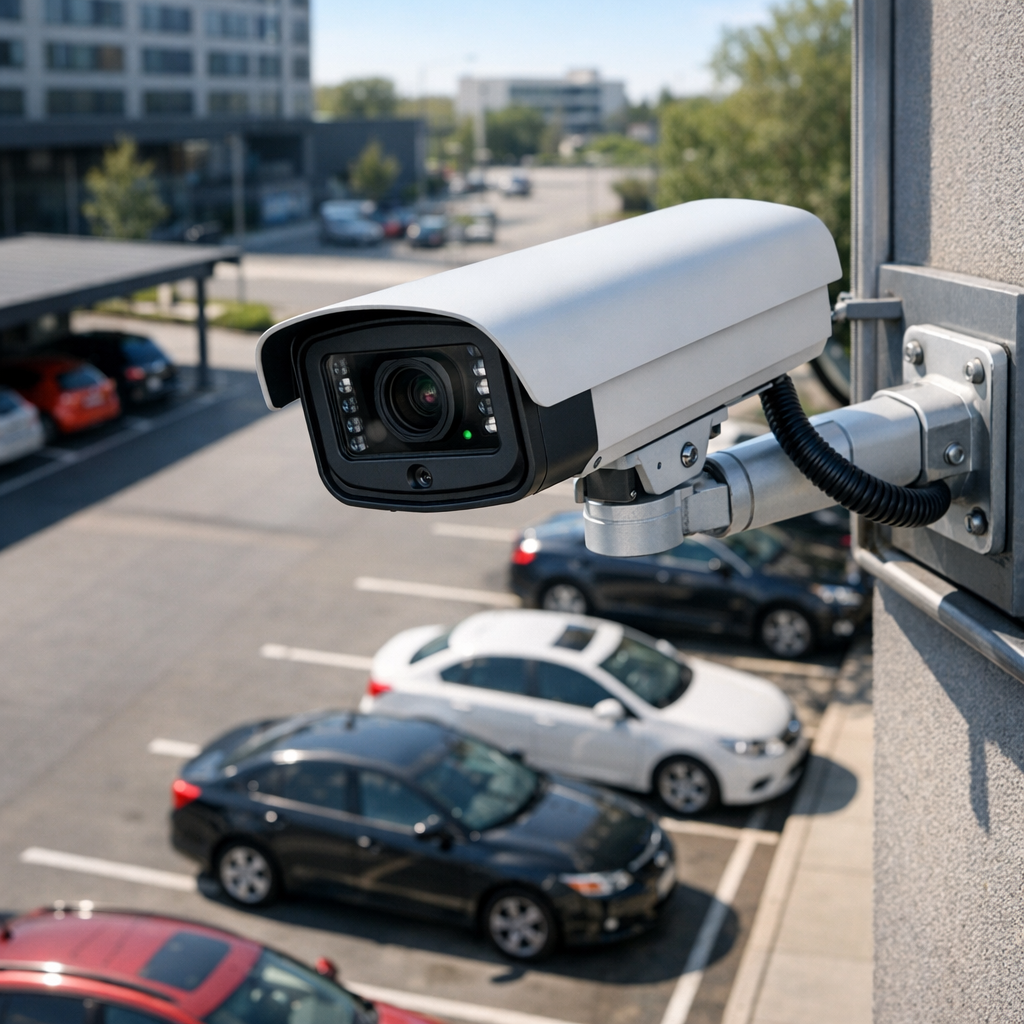
video surveillance: what owners usually assume (and why it matters)
Many decision makers treat video surveillance as a purely technical purchase and assume any camera in public-facing spaces is lawful. They conflate crime deterrence with unrestricted monitoring, overlook notice and retention obligations, and underestimate how footage use affects employee and customer rights. Before choosing between different system architectures, understand these misassumptions so you can compare options on legal grounds as well as functionality. For a deeper legal and operational overview, consult our main resource Read the complete Video Surveillance guide
video surveillance compliance comparison: on-premise vs cloud vs hybrid
Compare three common deployments from a compliance perspective: on-premise DVR/NVR systems, cloud-managed services, and hybrid models. Each has pros and cons for data control, notice, access, and cross-border transfer risks. This comparison focuses on legal boundaries rather than brand features.
On-premise (DVR/NVR) systems
- Pros: Full physical control of footage; easier to demonstrate local custody; limited automatic transfers to third parties.
- Cons: Local storage still requires access controls, secure retention policies, and clear deletion procedures; physical theft or tampering present legal incident-reporting obligations.
- Typical legal risks: Failure to secure storage can violate data protection rules if footage includes personally identifiable information (PII); lack of documented retention schedules increases liability in disputes.
Cloud-managed systems
- Pros: Automatic backups, vendor-managed security, and easier audit trails; remote access simplifies admin tasks.
- Cons: Third-party processors may trigger data transfer and processor-contract requirements; vendor terms and default settings can widen permissible use beyond an owner’s intent.
- Typical legal risks: Cross-border storage or access may require additional legal safeguards in the EU (e.g., SCCs) and careful vendor selection in the US for regulated sectors.
Hybrid systems
- Pros: Balance of local control with cloud redundancy; flexible retention strategies.
- Cons: Complexity increases compliance burden—owners must manage both local and vendor obligations.
- Typical legal risks: Misconfiguration can lead to inadvertent public sharing or extended retention, both of which are common legal pitfalls.
Comparing legal risk by use case: storefront, private areas, and parking lots
Legal expectations vary significantly by location and purpose. Below is a side-by-side comparison to help decide appropriate measures for each environment.
Retail storefronts
- Primary objectives: Loss prevention, incident documentation.
- Key legal considerations: Clear signage, limited video angles to avoid private areas, retention limits defined by incident response needs, and policies governing employee access to footage.
- Recommended controls: Role-based access logs, retention schedule of 30–90 days unless incident holds apply, documented incident-handling procedures.
Employee-only areas (break rooms, restrooms)
- Primary objectives: Typically none—recording these areas is high risk.
- Key legal considerations: Many jurisdictions severely restrict or prohibit surveillance of restrooms and locker rooms. Surveillance of break rooms may be permitted only with explicit, narrowly-tailored justification and notice.
- Recommended controls: Avoid cameras in private spaces; use alternative security measures like access control logs or alarmed doors.
Parking lots and external perimeters
- Primary objectives: Security for property, evidence of vehicle-related incidents.
- Key legal considerations: Public-facing cameras capture passersby and may intersect with traffic or public space regulations; retention and disclosure rules still apply.
- Recommended controls: Signage visible at entry points, retention policy tied to incident frequency, and consideration of camera placement to minimize private property intrusion.
Buyer guide: legal evaluation criteria for choosing surveillance systems
When comparing products and vendors, prioritize legal compliance criteria alongside technical specs. Use the checklist below during procurement and contract negotiation; treat it as a minimum standard rather than optional.
- Data controller vs processor clarity: Establish whether you or the vendor is the controller and embed responsibilities in written contracts.
- Retention and deletion controls: Ensure configurable retention schedules and verifiable deletion logs aligned to policy.
- Access and audit trails: Confirm role-based access, multi-factor admin authentication, and immutable audit logs.
- Encryption and secure transfer: Insist on encryption at rest and in transit and request documentation of key management.
- Cross-border processing: For cloud systems, verify data residency options and contractual safeguards for international transfers.
- Vendor incident response: Contractual SLAs for breach notification and forensic support are essential.
- Privacy by design: Choose systems with field-of-view controls, masking/blurring features, and configurable retention to minimize unnecessary data collection.
When comparing models and configurations, also check the hardware’s default settings—many cameras ship with permissive defaults that expand legal exposure. For a focused selection of compliant camera models and categories, review our surveillance collection Browse Video Surveillance
Practical examples and common mistakes
Real-world scenarios highlight common errors and how a compliant decision would differ.
Example 1: The 24/7 employee-facing camera
Situation: A small café installs an interior camera intended to limit theft but leaves it aimed at the entire floor, capturing employees in break times. Mistake: No policy, no notice, and indefinite retention. Compliant alternative: Reposition or mask the lens to exclude break areas, add clear notice, document legitimate business purpose, and set retention to a limited period unless incidents occur.
Example 2: Cloud backup without contract safeguards
Situation: A landlord chooses a cloud camera for convenience but doesn’t update vendor terms or address cross-border access. Mistake: Unknown processors and no breach notification clause. Compliant alternative: Require processor agreements, confirm data residency options, and verify breach notification SLA. For a side-by-side technical and legal comparison of architectures, see our secondary overview Discreet solutions
Common mistakes
- Assuming public spaces have no privacy obligations.
- Retention policies set by storage capacity rather than legal need.
- Failing to document purpose and access authorizations.
- Relying solely on vendor statements without enforceable contract terms.
Legal & ethical considerations (EU and US high-level guidance)
This section provides high-level distinctions—treat it as educational context, not legal advice. Local counsel should be consulted for jurisdiction-specific obligations.
European Union (GDPR-focused)
- Legal basis: Processing must have a lawful basis (legitimate interest is common for security but must be balanced with data subjects’ rights).
- Transparency: Notice obligations require clear signage and documentation of processing activities.
- Data subject rights: Individuals can request access to footage; retention must be limited and justified.
- Transfers: Cross-border transfers outside the EEA require appropriate safeguards (e.g., SCCs) or ensured adequacy.
United States (sectoral and state level)
- Variation: No single federal privacy law; employers and businesses must navigate state laws (e.g., Illinois BIPA, California CCPA/CPRA obligations) and sectoral rules.
- Audio recording: Many states have strict consent rules for audio—adding microphones typically increases legal risk.
- Contracts: Vendor agreements and proof of reasonable security measures are critical defenses in litigation.
Ethically, owners should weigh proportionality: does the security benefit justify the intrusion? Documenting that analysis reduces regulatory and reputational risk.
Frequently Asked Questions
Q1: Can I record audio along with video in my business? A1: Audio laws vary; many jurisdictions require explicit consent for recordings. Treat audio as a separate, higher-risk capability and consult counsel before enabling it.
Q2: How long should I keep CCTV footage? A2: Keep footage only as long as necessary for stated security purposes—common retention windows are 30–90 days unless an incident requires longer preservation.
Q3: Do I need signs informing people they are being recorded? A3: Yes—most regions expect visible notice where video surveillance captures customers or the public; internal notices for employees and documented policies are also recommended.
Q4: Who should have access to recorded footage? A4: Limit access to a small number of authorized personnel, enforce role-based controls and MFA for admin accounts, and log all access events.
Q5: What if a vendor stores footage outside my country? A5: Cross-border storage can trigger additional compliance obligations; require contractual safeguards, data transfer mechanisms, and clarity on where backups reside.
Educational closing: how to proceed for compliant surveillance decisions
Choose surveillance systems by comparing legal exposure as closely as technical features. Use the comparisons above to map your use cases—storefront, employee areas, parking—and apply the buyer checklist to evaluate vendors and architectures. Document your purpose, implement notice and retention policies, and include enforceable vendor commitments for security and breach response. When in doubt, restrict collection, tighten access, and seek jurisdiction-specific legal advice. Thoughtful procurement and clear operational controls turn surveillance from a liability into a managed security tool.