
Voice recorders: common mistakes with USB models for homeowners and small businesses
Choosing and using voice recorders correctly avoids data loss, legal exposure and operational headaches. This article compares common mistakes specific to USB voice recorders—devices that combine onboard recording with USB connectivity—and explains how homeowners, small businesses and professionals should evaluate trade-offs when buying and deploying these devices.
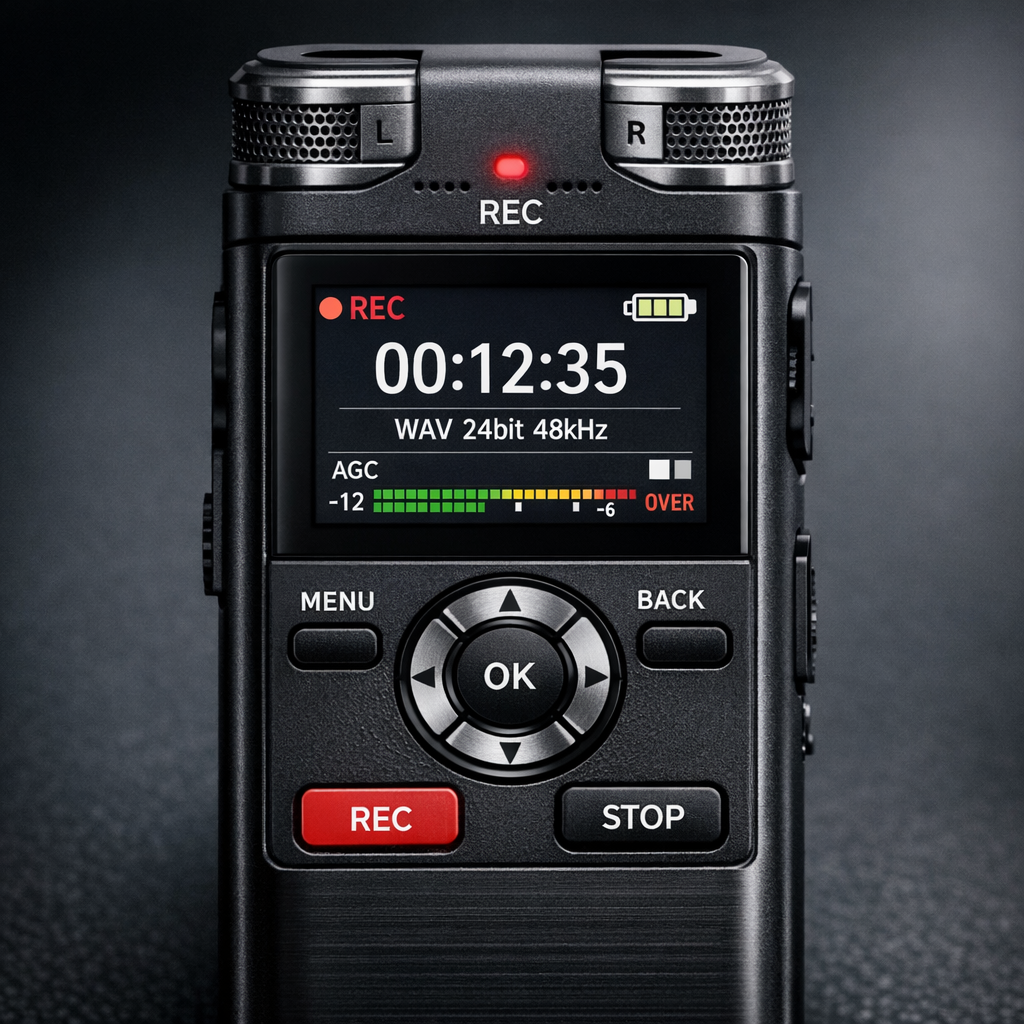
Common mistakes with USB voice recorders: comparative overview
USB voice recorders look simple, but common mistakes fall into distinct categories: hardware assumptions, file handling, connectivity risks and compliance gaps. When you compare inexpensive flash-based units to shielded pocket recorders or professional digital voice recorders, the same categories of error recur, but the consequences vary by use-case. A homeowner who needs to document warranty conversations faces different risks than a small law firm recording client interviews.
Hardware and design misunderstandings
Many buyers assume that any recorder labeled "USB" will behave like a simple storage stick. In practice, models differ: some present as a removable drive when connected to a computer, others require proprietary software to offload files, and a few use encrypted containers. Mistakes arise when users trust plug-and-play behavior without checking how the device mounts, whether it requires drivers, or how it protects files during abrupt power loss.
Recording modes and activation errors
Confusion over continuous recording, voice activated recorder modes, and sample rates leads to either missed audio or massive, unusable files. Home users may leave a recorder in VOX mode expecting it to capture a short conversation and find long gaps or clipped speech instead. Conversely, professionals who want continuous logs can mistakenly enable voice activation and lose context around quiet but important moments.
How to compare voice recorders: buyer criteria for USB models
Comparative evaluation must be scenario-driven. Key criteria include storage workflow, file formats and quality, power and battery behavior, connectivity models (mass storage vs. MTP vs. proprietary), and security features like encryption or password locks. For each criterion, note pros and cons by use-case.
- Storage workflow: Mass storage devices are easiest for homeowners who drag-and-drop files, whereas professionals often prefer recorders that support timestamped file names and batch export to reduce manual bookkeeping.
- File format and quality: Lossless formats preserve evidence quality but consume space; compressed formats conserve storage but may hinder transcription or legal admissibility.
- Power and battery behavior: Devices that power via internal batteries but also expose a USB port can be accidentally powered down during transfer, corrupting files. Look for models that indicate safe-eject procedures.
- Connectivity and drivers: Devices that need drivers introduce compatibility and security risks on public or work computers; mass storage devices minimize that risk.
- Security: Hardware encryption and read-only modes reduce tampering risk. For sensitive interviews or business meetings, choose a device with secure export options.
Pros and cons by model class
Compare three broad classes: budget USB stick recorders, mid-range digital voice recorders, and professional USB-enabled systems. Budget sticks are cheap and discreet but often lack robust power and file safeguards. Mid-range models balance usability and features; they commonly offer multiple recording modes and better battery life. Professional systems prioritize reliability, metadata, and secure export for chain-of-custody, but cost more and require training.
Real-world scenarios and decision logic
Practical selection is about matching device behavior to the risk profile of your scenario. For a homeowner documenting a contractor phone call, prioritize ease-of-use, automatic timestamping and simple file access. For a small business recording employee meetings, consider devices with encryption and clear secure storage workflows.
If legal admissibility is a likely requirement, buy recorders that preserve timestamps and sample rates consistently, and establish handling protocols to avoid chain-of-custody challenges. For field work where physical theft or loss is a risk, a recorder with hardware write-protect or encrypted containers reduces exposure.
For detailed technical comparisons and deeper device features, consult the pillar resource on professional and discreet recording practices Read the complete Voice Recorders guide .
Practical examples and common mistakes
Below are typical mistakes and how a comparative approach prevents them.
- Example 1 — Misreading VOX behavior: A homeowner uses VOX expecting short clips. The recorder’s sensitivity setting is too high, producing many short files with background noise. Compare devices for VOX sensitivity settings and test in your environment before relying on them.
- Example 2 — Corrupted files after abrupt unplug: A small business owner unplugs a recorder mid-transfer; cheap firmware leaves incomplete files. Choose devices with journaling or safe-eject warnings; compare how models handle unexpected power loss.
- Example 3 — Incompatible file formats: A professional records in a proprietary format that requires vendor software. When transferring files to a transcription service, compatibility causes delays. Evaluate whether the recorder exports common formats (WAV, MP3) without conversion.
- Example 4 — Hidden data exposure on USB: A device that auto-mounts on any computer increases malware risk. For sensitive workflows, prefer recorders with encrypted containers or that require a passcode to reveal files.
- Example 5 — Legal missteps: Recording without understanding local consent laws can invalidate evidence. Always compare device features that support legal defensibility—time-stamped files, tamper-evident logs and exportable metadata.
If you want to review available device categories and filter by features like VOX, encryption and battery life, the category collection summarizes models by those attributes Browse Voice Recorders.
Legal and ethical considerations
This section provides high-level, non-legal guidance on compliance in the EU and US. Laws vary by jurisdiction and circumstance; consult a qualified attorney for specific advice.
United States
US law generally distinguishes single-party consent versus two-party (or all-party) consent states. Recording in a single-party consent state may be lawful if one person to the conversation consents. However, state exceptions and workplace rules can apply. From a device perspective, keep clear logs of when and where recordings occurred, and preserve original files to support any claim of lawful capture.
European Union
EU rules emphasize data protection and privacy under the GDPR. Recording employees or customers can implicate lawful basis, data minimization and retention requirements. When comparing voice recorders, prioritize devices and workflows that minimize retained data, support secure storage, and allow controlled deletion to meet data subject requests.
Across jurisdictions, the comparative approach helps: choose devices that facilitate compliance through identifiable metadata, tamper-evident exports, and secure transfer mechanisms. For regulatory contexts, consider recorders that log access and maintain immutable original files for audits.
For secondary guidance on operational best practices and technical standards that support compliance, see the secondary pillar resources on device handling and professional workflows Discreet solutions.
Frequently Asked Questions
Q: Are USB voice recorders legal to use at home?
A: In many places, yes for personal use, but legality depends on local consent laws. Verify whether one-party or all-party consent applies and document consent when necessary.
Q: Which file format is best for evidence purposes?
A: WAV at a standard sample rate (44.1–48 kHz) is preferred for integrity and transcription. Compressed formats like MP3 save space but reduce fidelity.
Q: Can I trust a voice-activated recorder to capture everything important?
A: Not always. VOX saves space but may fail to record low-volume speech or transitional context. Compare VOX sensitivity settings and test in real conditions before relying on them.
Q: How should I transfer files securely from a USB recorder?
A: Use a dedicated, trusted computer, verify checksums if supported, and prefer encrypted containers or devices that support secure export. Avoid public USB hubs and perform safe eject procedures.
Q: What maintenance prevents data loss on USB voice recorders?
A: Regularly back up recordings, monitor battery health, update firmware from trusted sources if available, and test safe-eject and file integrity after transfers.
Educational closing
Comparing USB voice recorders through the lens of common mistakes clarifies purchase and deployment decisions. Match device capabilities to your scenario, prioritize secure and predictable file workflows, and document handling to reduce legal and operational risk. A structured comparison—checking storage behavior, activation modes, power resilience and security features—turns an unfamiliar purchase into a controlled decision. Use scenario-specific testing before relying on a recorder for important evidence or business processes.