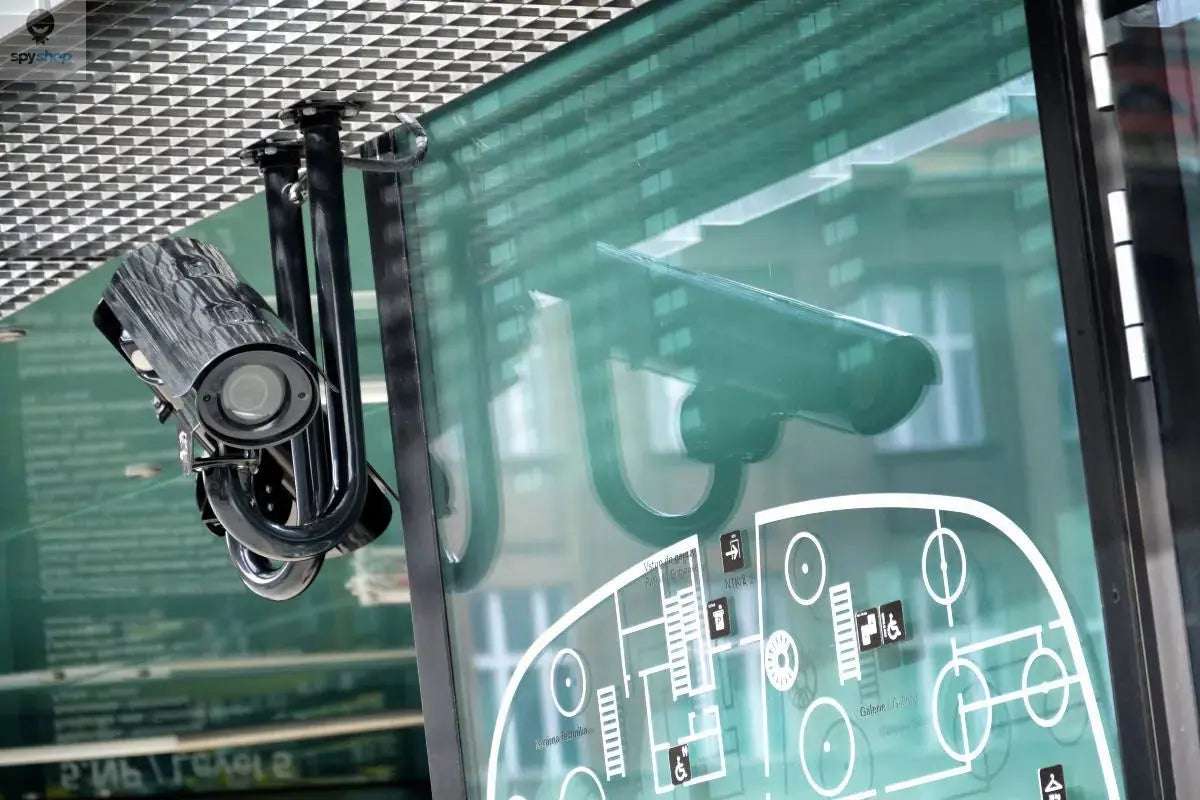
Hidden Cameras and Listening Devices: Complete Detection Guide
Hidden cameras and listening devices require a layered check: a careful look at the room, an understanding of how a device records or transmits, and tools chosen for the specific task. A wireless signal detector, a lens finder and a phone network scan answer different questions. None can certify that a room is free of surveillance.
This guide is for people checking a home, hotel room, rental or workspace they are entitled to inspect. Start with visible, accessible areas. An unfamiliar object, reflection, noise or detector alert is a reason to investigate calmly, not proof that someone is recording you.

Hidden Cameras and Listening Devices: A Practical Starting Point
Begin with a visual check of the space and its normal equipment. Use a torch to inspect possible viewing angles, then add a suitable detector if needed. Treat results as clues to confirm. A quiet detector or an empty network list is not an all-clear.
Understand What You Are Looking For
A camera needs an optical view of the area it records, although its lens may sit behind a small opening. A microphone needs no visible lens. Devices may send recordings over WiFi or cellular networks, use a cable, or save files locally without transmitting.
This distinction determines the inspection. An RF detector looks for emissions within its supported range while a device transmits. An optical lens finder looks for a reflection with a suitable line of sight. Neither method covers every possible device, installation or operating state.
A Room Check, Step by Step
- Define the area and record what is normal. Note the router, television, smart speakers, chargers, access points and other expected electronics. In accommodation or a shared office, ask about disclosed cameras and relevant policies before assuming an unfamiliar device is suspicious.
- Look at sightlines. From the places where privacy matters, examine objects with an unobstructed view. Check accessible shelves, clocks, decorations and fixtures for an unexplained opening or obvious alteration. Appearance alone cannot establish that an object is a camera.
- Use a torch from different positions. Look for a consistent reflection from a possible lens, then inspect the object visually. Glass, polished screws and decorative surfaces also reflect light. A reflection is a lead, not a positive identification.
- Check only equipment and networks you are authorized to manage. A router's client list may help explain a connected device, but unfamiliar names need verification. Devices on another network, cellular equipment and local recorders may not appear.
- If using an RF detector, read its instructions and establish a baseline away from the suspected object. Your phone, WiFi router and legitimate electronics may trigger it. Repeat a slow check and look for a reproducible result rather than relying on one beep.
- Document anything unresolved. Note the object, location, time and the checks you performed. Inspect only visible surfaces: do not open electrical fittings, dismantle equipment or disable smoke alarms. If you feel unsafe, leave the area before seeking help.
Compare Detection Methods
| Method | What It Can Help With | What It Cannot Establish |
|---|---|---|
| Visual inspection | Finding an unexplained opening, altered object or plausible camera sightline. | A normal-looking room does not exclude concealed equipment. |
| Torch or optical lens finder | Investigating a lens reflection when angle and line of sight allow it. | Reflective surfaces can mislead; concealed lenses and microphones may be missed. |
| RF detector | Locating a repeatable radio signal within the detector's supported bands and sensitivity. | An alert does not identify a spy device. Non-transmitting, intermittent or out-of-range equipment can be missed. |
| Authorized router or network review | Checking devices visible on the network you control. | It does not reveal every local recorder, cellular device, separate network or unidentified client. |
| Phone camera or detection app | Supporting visual checks; some cameras can show infrared from certain emitters. | Not every phone sees infrared, and not every camera emits it. An app does not give a phone the hardware of a dedicated broadband RF receiver. |
Why RF Alerts Need Interpretation
RF detection finds transmissions, not intent. A nearby router, mobile phone or other legitimate transmitter may produce a strong reading. Encryption does not make a radio transmission disappear, but a basic detector cannot tell you who owns it or what information it carries.
A device that records to a memory card may have no relevant transmission during your check. A transmitting device may also operate intermittently. Frequency coverage, antenna, sensitivity, distance and surrounding signals affect results. Compare the instrument's documented capabilities with the task rather than trusting a universal detection claim.
Choose a Detector for the Job
- Identify the function you need: RF detection, optical lens inspection or a specialist service. A product labelled 'multi-function' still needs a clear specification for each mode.
- Check documented frequency coverage and operating instructions. Broad coverage alone does not guarantee that a particular signal will be found.
- Look for usable sensitivity controls and a display or alert you can interpret. Learn the response to known electronics before investigating an unfamiliar room.
- Check power, charging, portability and access to the manual. A tool you can use consistently is more useful than an unexplained maximum-range claim.
- For repeated, sensitive or unresolved concerns, compare the cost and scope of a professional inspection with buying equipment beyond your experience.
What to Do If You Find Something Suspicious
Separate observation from conclusion. A photograph of an object and its position is more useful than an accusation based only on an alert. Avoid handling, resetting or removing it if doing so could create danger or interfere with evidence.
Move to a place where you feel safe. Depending on the situation, contact the property operator, your organization's security team or the relevant local authority. If you suspect the room is being monitored, discuss sensitive details elsewhere. A professional can help assess an ambiguous finding.
When a Professional Inspection Makes Sense
Consider a qualified technical surveillance countermeasures (TSCM) service when there is a credible incident, a sensitive business setting or a result you cannot explain. Ask what areas and device types the inspection covers. Specialist tools, including non-linear junction detectors, can look for electronics without relying on the suspect device transmitting; normal electronics still require careful interpretation.
Frequently Asked Questions
Can a phone find every hidden camera?
No. A phone can assist with visual or limited network checks, but it cannot reliably exclude all hidden cameras or listening devices. Phone hardware, camera filters, permissions and the device being checked all matter.
Does a strong RF reading prove there is a hidden microphone?
No. It shows a signal response that needs investigation. Legitimate electronics can create strong readings, and the strength alone does not identify the source or prove that audio is being recorded.
Can a powered-off or local-recording device be missed?
Yes. RF-only checks can miss equipment that is not transmitting at the time. This is why visual inspection and an appropriate combination of methods matter.
How long does a complete check take?
There is no reliable universal time. Room size, access, background electronics and the inspection's scope all affect the work. A quick consumer check is not equivalent to a documented professional sweep.
Detailed Guides for Specific Checks
Use these published guides for the particular setting or tool you need:
- How to Find Hidden Cameras in Your Home
- Hidden Camera Detection: Visual Checks and Tools
- How to Detect Hidden Listening Devices
- Bug Detectors: RF Detection Features and Limitations
- Bug Detection: Signs, Inspection and Equipment
- Hidden Camera Detection in Hotels and Accommodation
- Hidden Camera and Microphone Detection in Rentals
- Counter-Surveillance Devices: Privacy Protection Options
Compare Bug and Signal Detectors
Use the method comparison above to decide what you need before choosing equipment. Compare documented functions, supported bands and instructions in our detector collection; a device's limitations matter as much as its feature list.
Technical Sources

Written by PRIVATE D.O.O. Pecek